![2023-Roseman_Labs-logomerk_color.png]](https://support.rosemanlabs.com/hs-fs/hubfs/2023-Roseman_Labs-logomerk_color.png?width=40&height=40&name=2023-Roseman_Labs-logomerk_color.png)
Downloading the audit log allows you to review a complete record of actions taken within the system. Note that due to the sensitive nature of this data, strictly limited permissions apply.
You must have the Admin role to access and download the audit log. If you do not see the options described below, please contact your environment's administrator.
Downloading the log
-
Log in to the (authorized) environment.
-
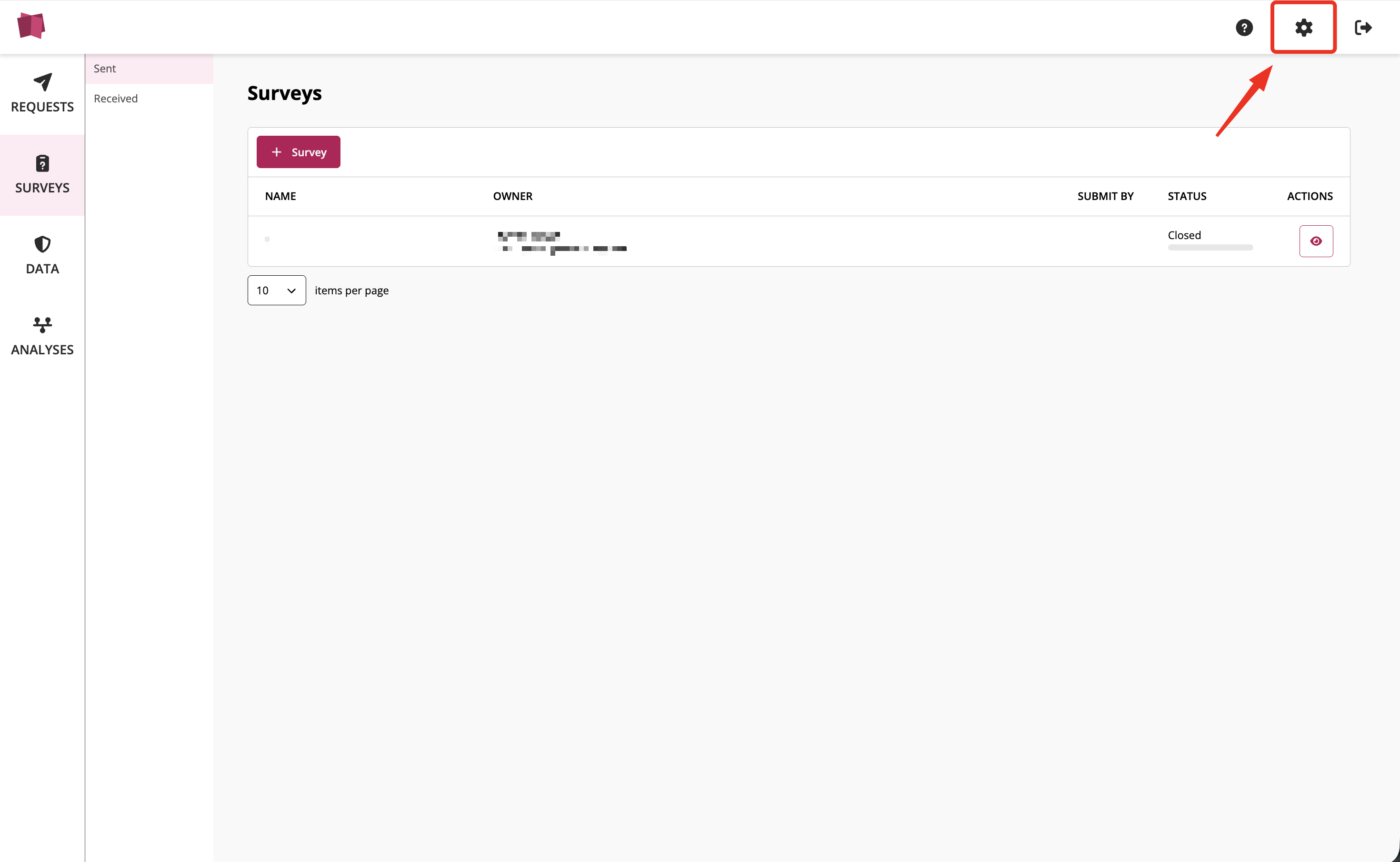
Navigate to Settings located in the top navigation bar (top right corner).
-
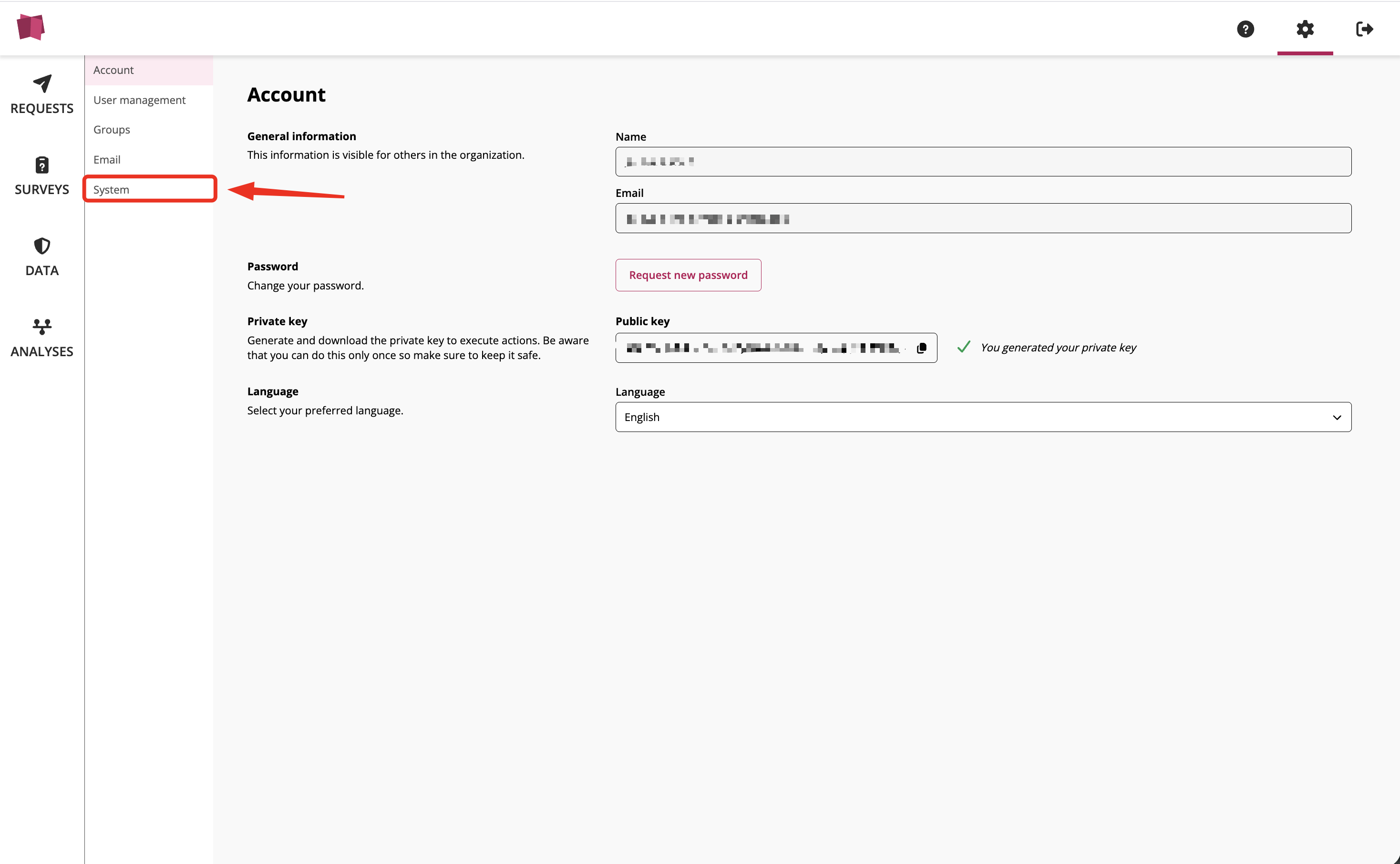
Select the System page within the settings menu.
-
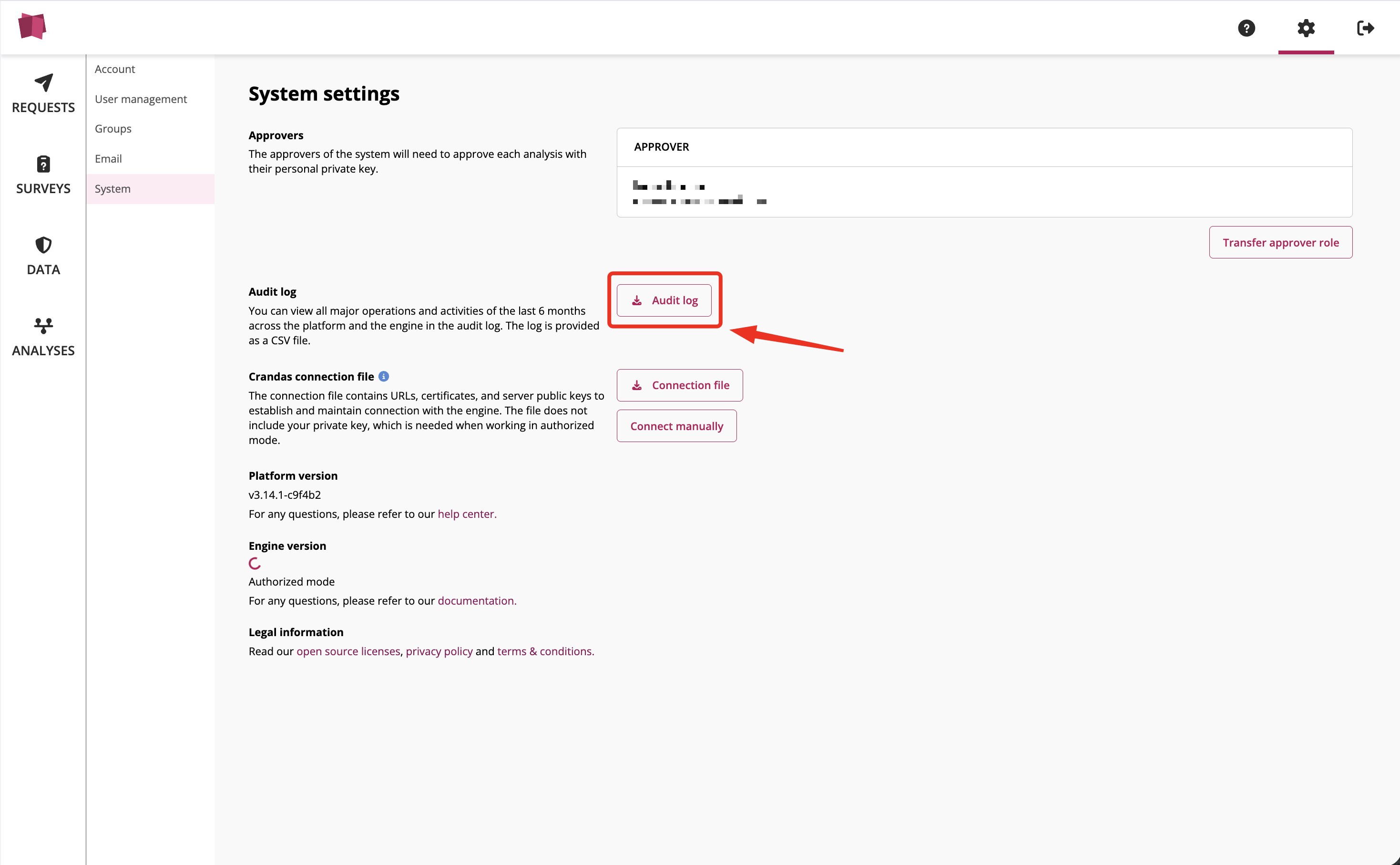
Click the Download audit log button (displayed as a download icon with "audit log").
-
Wait for the download to prepare. This process may take some time depending on the size of the log. Once ready, a pop-up window will appear prompting you to save the file as a .csv.
Thank you for taking the time to read this article. If you have feedback or need more information on specific topics, feel free to 'Submit an issue' in the Help Center.